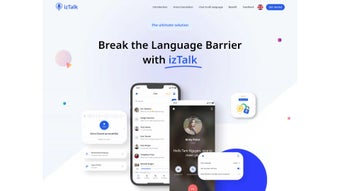

Download IzTalk – Real‑Time Voice Translation, AI Clone Voice, Multilingual Chat
Overview
IzTalk is a web‑based AI life assistant that removes language barriers by delivering real‑time voice translation during calls and instant text translation in chats. Whether you’re closing a business deal with a partner across the globe, catching up with friends abroad, or traveling to a foreign country, IzTalk lets you speak naturally while the platform silently converts every word into the listener’s native language. The service stands out thanks to its AI Clone Voice feature, which captures the unique timbre of your own voice and uses it to articulate translated text, preserving your vocal identity even when you’re speaking another language. Backed by an ever‑growing library of supported languages and frequent updates that incorporate the latest neural translation models, IzTalk offers a seamless, secure, and user‑friendly experience. A dedicated support team is on standby 24/7, ensuring that any hiccup—technical or linguistic—is resolved quickly. In short, IzTalk transforms multilingual communication from a daunting obstacle into a fluid, enjoyable conversation.
Key Features & AI Clone Voice
- Real‑time voice translation for one‑to‑one and group calls.
- Instant text translation within the built‑in messenger.
- AI Clone Voice – creates a personal voice model that reads translated text in your own tone.
- Support for over 120 languages and dialects, with continuous expansion.
- Secure end‑to‑end encryption for both voice and text streams.
- Cross‑platform web access – works on any modern browser without extra plugins.
- Automatic language detection for spontaneous conversations.
- Customizable UI themes for better visual comfort.
- Regular AI model updates to improve accuracy and reduce latency.
- 24/7 multilingual support team.
The heart of IzTalk’s offering is its AI Clone Voice technology. By recording a short sample of your natural speech, the system builds a neural voice model that can reproduce your intonation, cadence, and subtle quirks. When you speak in your native language, IzTalk translates the content, then re‑voices it using your cloned voice, making the interaction feel personal rather than robotic. This feature is particularly valuable for brand ambassadors, educators, and influencers who wish to maintain a consistent vocal presence across markets.
Another standout feature is the instant text translation within the chat pane. Users can type messages in any supported language, and IzTalk instantly renders the counterpart’s language in the conversation window. The translation engine leverages transformer‑based neural networks that adapt to context, idioms, and even industry‑specific jargon, delivering higher fidelity than typical rule‑based translators.
Security is never an afterthought. All voice streams and text payloads are encrypted using TLS 1.3, and session keys are regenerated for each call, ensuring that eavesdropping is virtually impossible. For enterprises, IzTalk also offers optional on‑premise deployment, giving IT departments full control over data residency and compliance requirements.
Installation, Setup, and Cross‑Platform Compatibility
Since IzTalk is a cloud‑native web application, the installation process is deliberately lightweight. Users simply need a modern browser (Chrome, Edge, Firefox, Safari) and a stable internet connection. Follow these steps to get started:
- Visit the official IzTalk website and click the “Get Started – Free” button.
- Create an account using an email address or single sign‑on (Google, Microsoft, Apple ID).
- Verify your email via the confirmation link.
- Once logged in, navigate to the Voice Clone Setup tab and record a 60‑second voice sample following the on‑screen prompts.
- After the AI processes your sample (typically under 5 minutes), you’ll receive a notification that your clone is ready.
- Enable the “Real‑Time Translation” toggle in the Settings menu, choose your default spoken language, and add any additional languages you anticipate using.
- Start a call by sharing a meeting link or joining an existing one. The platform will automatically detect participants’ language preferences and activate translation.
Compatibility – Because IzTalk runs entirely in the browser, it supports Windows 10/11, macOS Ventura and later, Linux distributions with a graphical interface, as well as mobile browsers on Android 9+ and iOS 13+. For users who prefer native experiences, IzTalk offers progressive web app (PWA) wrappers that can be installed on desktops and mobile devices, granting offline‑ready shortcuts and push‑notification capabilities.
The platform also integrates with popular conferencing tools (Zoom, Microsoft Teams, Google Meet) via a lightweight plug‑in that redirects audio streams through IzTalk’s translation engine, allowing you to keep using familiar meeting environments while benefiting from real‑time multilingual support. System requirements are modest: a dual‑core CPU, 4 GB RAM, and a microphone with a 16 kHz sampling rate provide smooth operation. For optimal latency, a broadband connection of at least 5 Mbps upload/download is recommended.
Pros, Cons, and Frequently Asked Questions
Pros
- True real‑time voice translation with minimal lag.
- AI Clone Voice preserves personal vocal identity.
- Broad language coverage and continuous AI updates.
- Zero‑install, browser‑based access across devices.
- End‑to‑end encryption ensures privacy.
- Free tier available for individuals and small teams.
Cons
- High‑quality voice cloning requires a quiet recording environment.
- Translation accuracy may vary for low‑resource languages.
- Dependent on stable internet; poor connectivity can increase latency.
- Advanced enterprise features (on‑premise deployment) are only in paid plans.
FAQ
How does IzTalk handle privacy for voice data?
All audio streams are encrypted with TLS 1.3 during transmission and stored only as transient buffers. IzTalk does not retain raw voice recordings after the translation is completed, unless you explicitly opt‑in to improve the AI model.
Can I use IzTalk on a mobile device without a desktop?
Yes. The web interface is fully responsive, and a PWA version can be installed on Android and iOS devices for a native‑like experience.
What is the latency like for live conversations?
Most users report an average end‑to‑end latency of 300‑500 ms, which feels natural for conversation. Latency can increase if the network bandwidth drops below the recommended 5 Mbps.
Is there a free version, and what are its limits?
IzTalk offers a free tier that includes up to 60 minutes of voice translation per month and unlimited text translation. Advanced features like on‑premise deployment, custom vocabulary, and higher minute caps are reserved for paid plans.
How do I improve translation accuracy for industry‑specific terms?
Paid plans allow you to upload custom glossaries. The AI then prioritizes these terms during translation, dramatically boosting precision for technical, medical, or legal jargon.
IzTalk delivers a compelling blend of real‑time voice translation and personalized AI voice cloning that feels ahead of its competition. The free tier is generous enough for occasional users, while the paid plans unlock powerful enterprise capabilities. Minor drawbacks—such as occasional inaccuracies in low‑resource languages—are outweighed by the platform’s speed, security, and ease of use.
Final Verdict & Call to Action
In a world where global collaboration is the norm, IzTalk emerges as a practical, secure, and surprisingly human solution to the age‑old problem of language barriers. Its real‑time voice translation works smoothly across browsers, and the AI Clone Voice feature adds a personal touch that most competitors lack. Whether you’re a freelancer negotiating with overseas clients, a multinational team coordinating projects, or a traveler seeking genuine conversations abroad, IzTalk equips you with the confidence to speak freely—knowing your words will be heard accurately in any language.
The free plan provides ample minutes to test the service, and the upgrade path is transparent, with clear pricing for additional minutes, custom vocabularies, and on‑premise deployment. Coupled with 24/7 support and regular AI model updates, IzTalk positions itself as a future‑ready translation hub.
Ready to break language walls? Download IzTalk now, create your voice clone, and start chatting across continents without a single misunderstood word.



.png)



